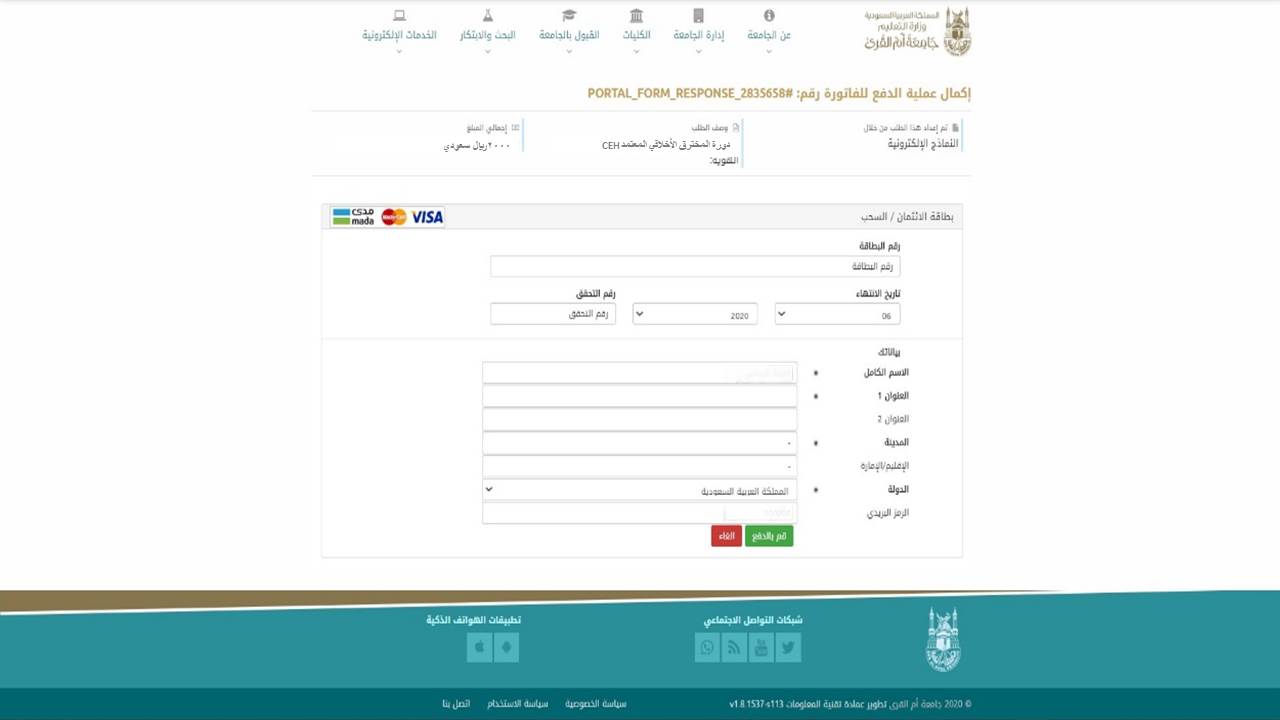
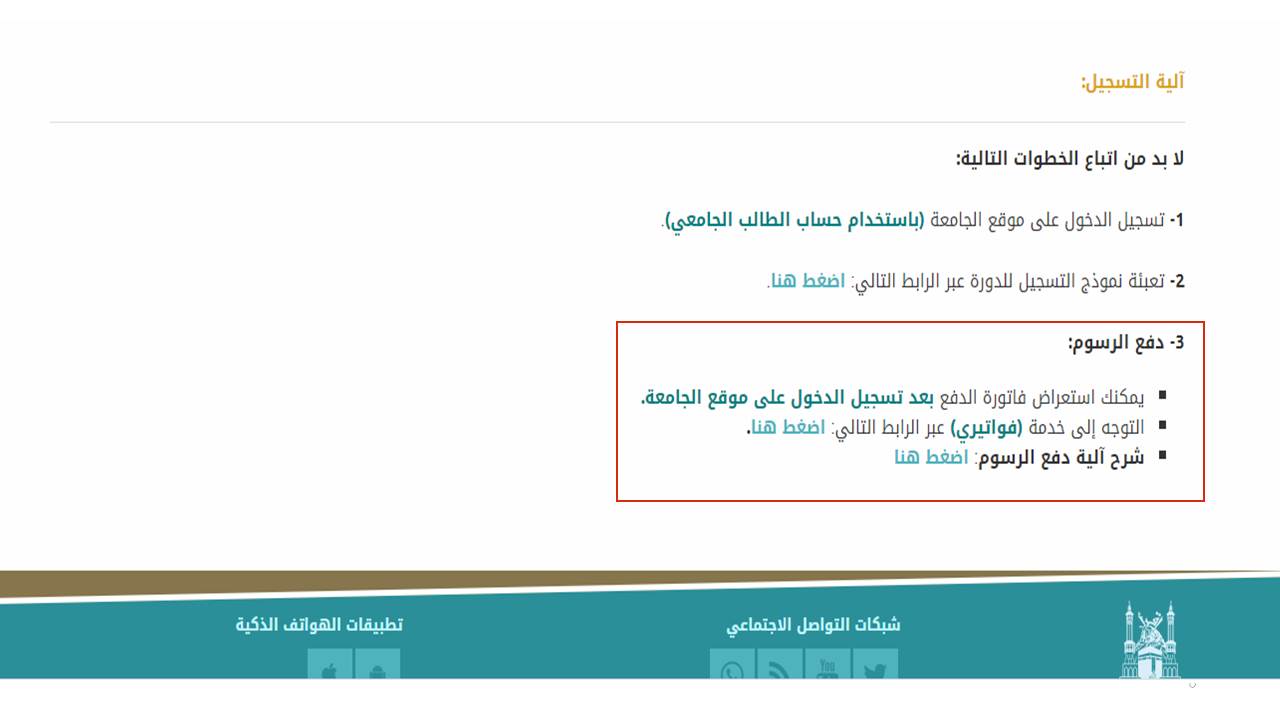
Fees Payment Mechanism
Please take the following steps:
1- Log in to the course page link on the university website via the following link: click here.
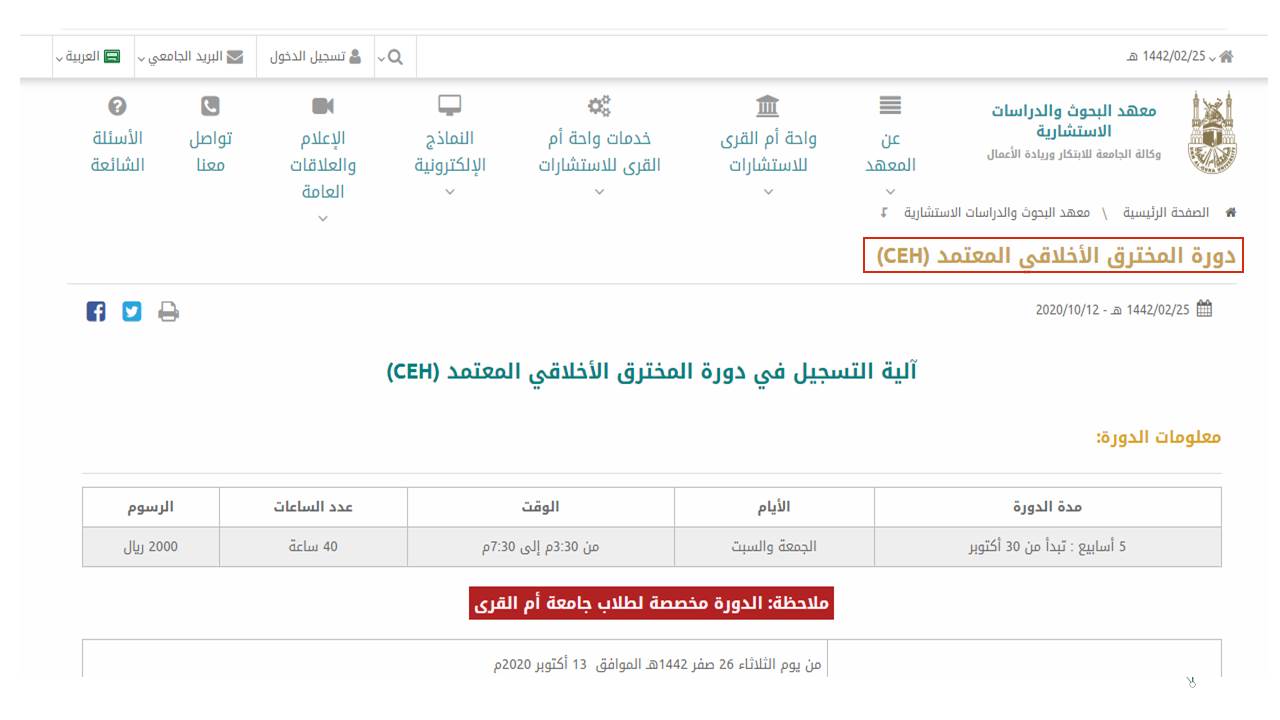
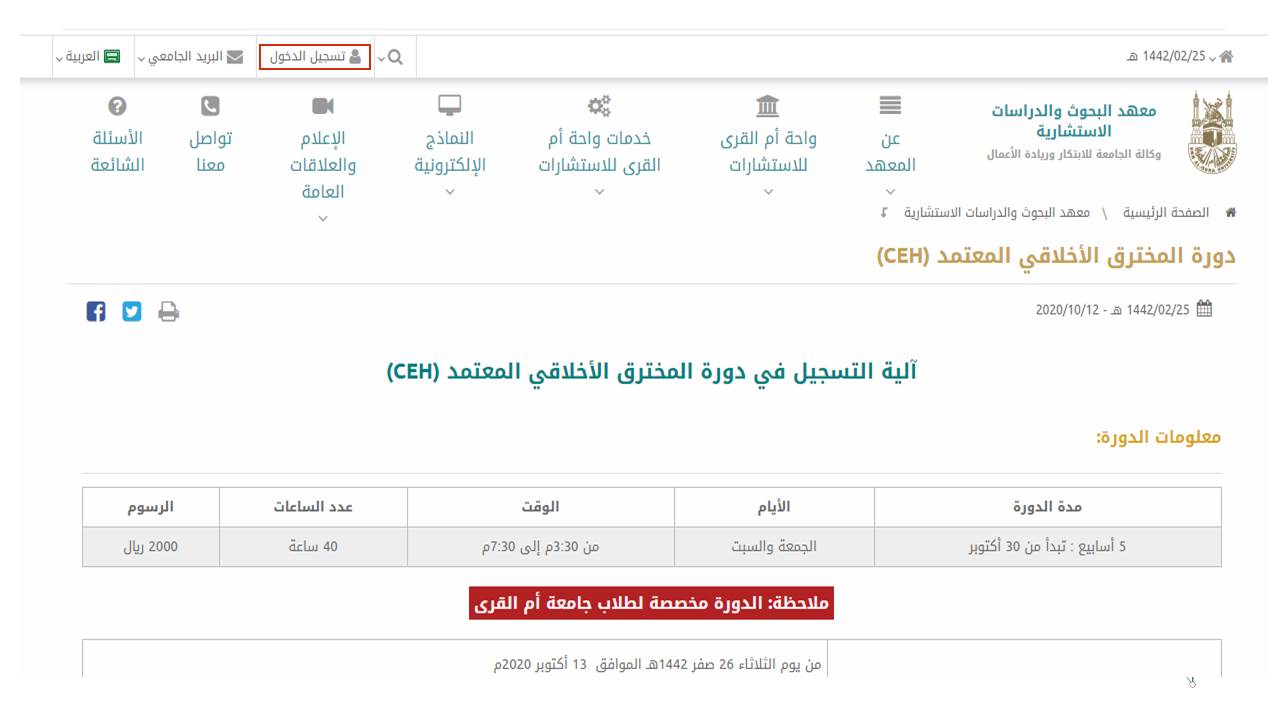
2- Access the university website (using the student's university account).
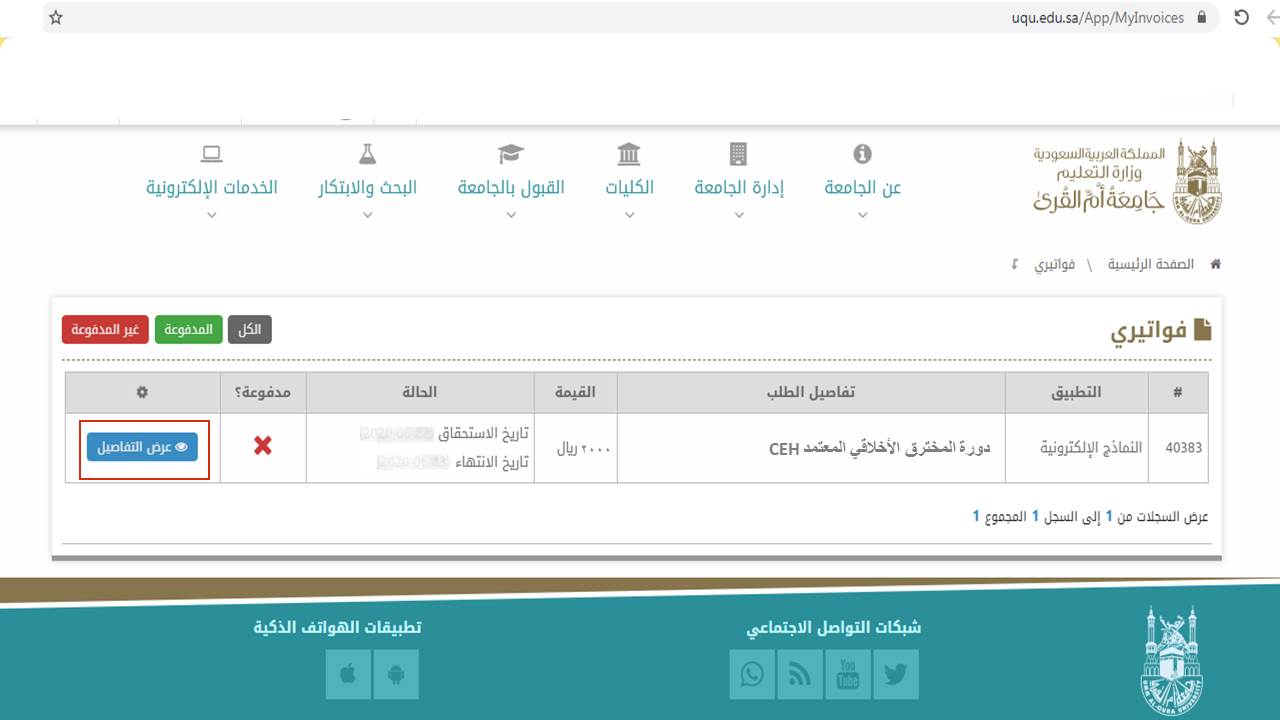
3- Click on the following link to view the outstanding invoices through the "My Invoices" service.
4- Choose the invoice you wish to pay, and click on the "View Details" icon.
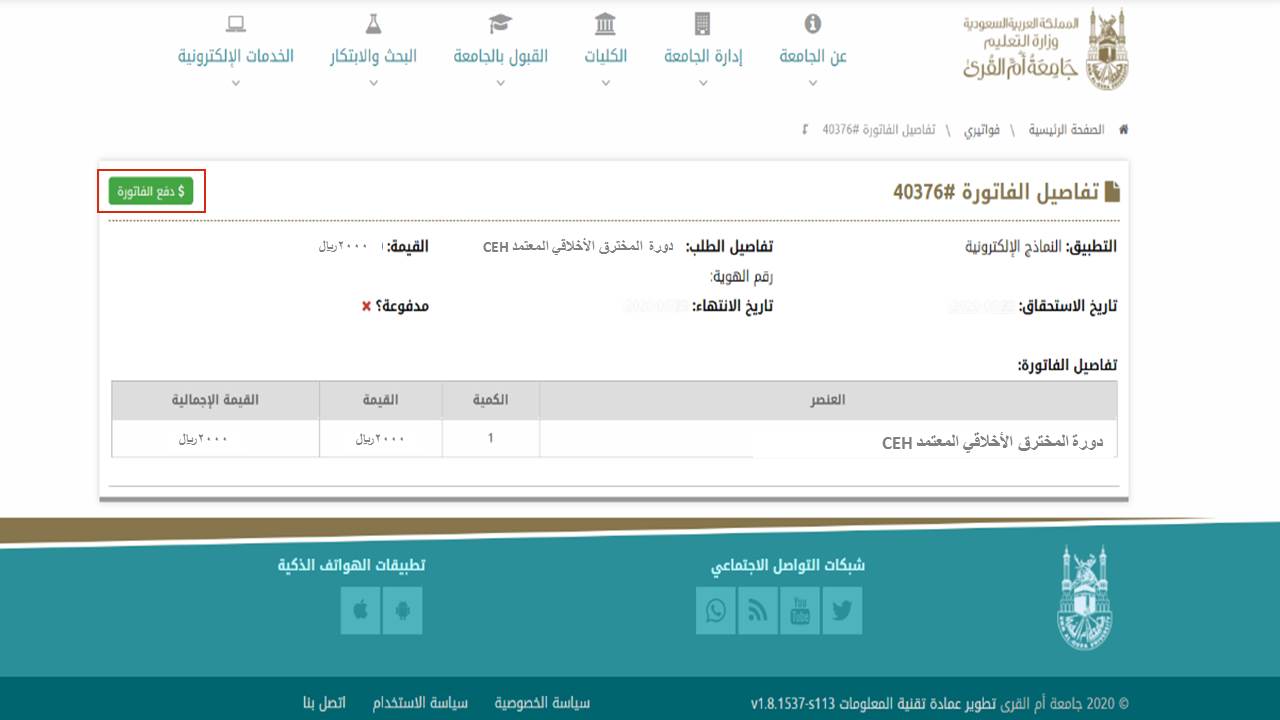
5- The invoice details will be displayed. Please click on the "Pay Invoice" icon to complete the payment process.
6- Complete your payment information.